
Ask Hamdam
Ask Hamdam is part of Hamdam Plus, and open to everyone during the first week of a new install.
Ask Hamdam answers questions you type, using only what you have kept in Hamdam: your reflections, your journal, your family's stories, your moods, sleep and habits.
It sits as a bar above the tabs on every page, and has its own place in Your Hamdam. It is typed only.
Step by step
Tap the Ask bar above the tabs, or open Your Hamdam and choose Ask Hamdam.
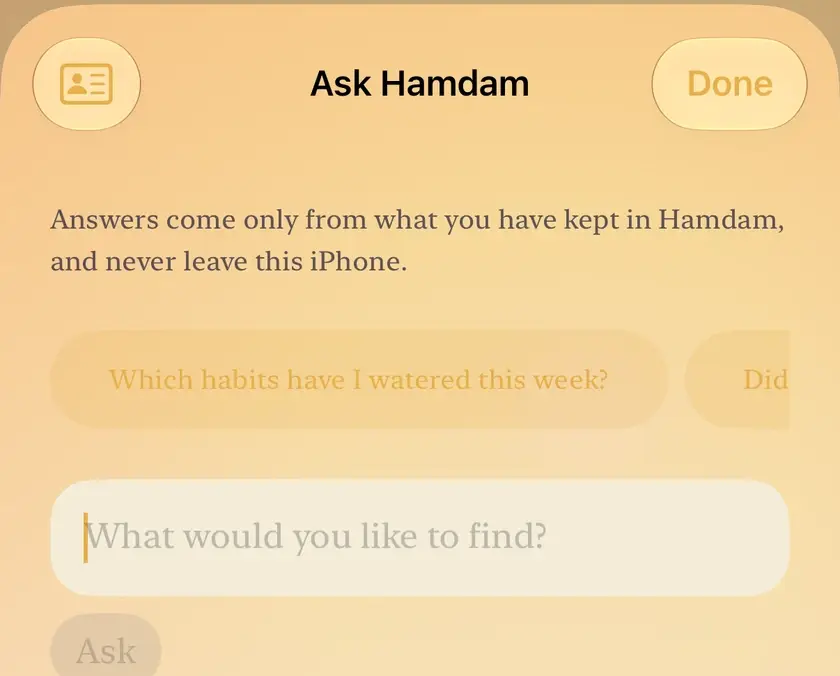
Type a question, such as how your week went, when a family member's birthday is, or what a date is in the Persian calendar. Three starter questions are picked from your day.
Read the answer. Each sentence carries a quiet label saying whether it comes from your entries, a pattern, a suggestion or Hamdam's own words.
Where Ask suggests something, one tap does it: a reminder in your own calendar sheet, a Garden habit, a reflection already started, or the two minute breath. You always confirm first, and Ask never sends anything.
To find where something is in Hamdam, ask it how. It answers from this guide and ends with a Take me there button that opens the exact screen.

Worth knowing
- Ask also converts dates between the Persian and Gregorian calendars, gives the weekday of a date, and works out an age in solar years.
- Ask what you have written about someone in your family, such as Mum, and it finds the reflections that name them and the ones you kept with them, even where you called them something else.
- A question about a medical, legal or money decision gets who to ask and what to ask them, never advice. If your words sound like you are struggling, care comes first.
- A reader who does not meet the poets gets no verses in answers. Verse meaning is offered to readers with a Persian connection, and readers who chose the poets in English get the English meaning only.
- Setting a reminder asks for no calendar or Reminders permission, because it uses the system's own sheet.