
Keep your grandparents' stories, in their own voice
Ask an Elder, in Hamdam 2.0 for iPhone
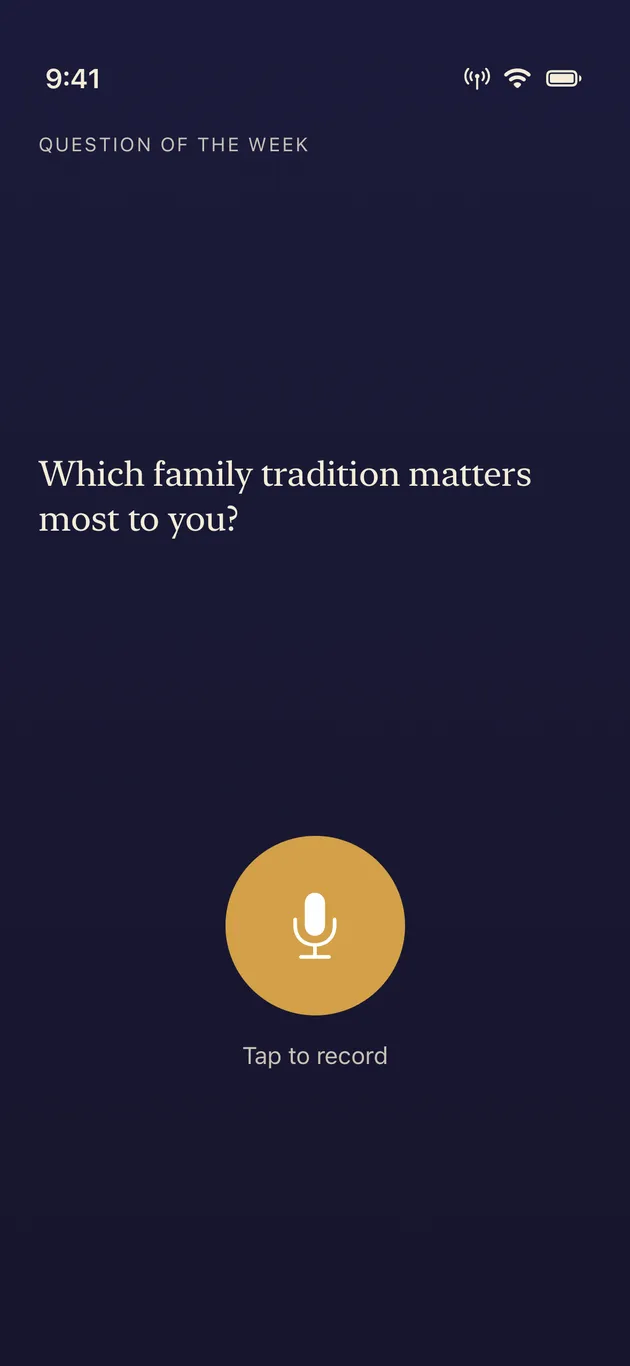
Many families have plenty of photographs of their grandparents and very few recordings of their voices. Ask an Elder is a small, steady way to change that: a question each week, answered out loud, and kept.
How Ask an Elder works
Hand your phone to your grandmother and let her answer in her own voice. Hamdam records it, keeps it, and writes down the words afterwards. The audio is the thing being kept, so it is saved first and saved regardless: if the words cannot be made out, or the language is not one the transcriber knows, you still have her voice. Family Wisdom gathers what has been said into something the family can read together.
Step by step
- Open Roots.
- Under your family, find this week's question and tap Record an answer. The Voices tile has Record a voice as well.
- Hand the phone over. Tap the large microphone to start and tap again to stop. The first time, Hamdam asks for the microphone.
- Choose who was speaking, or leave it as Later, then tap Keep. Discard throws the recording away.
- If you chose who was speaking, Keep it as a story offers a written version to correct before you save it.
The words are written down in the language you read Hamdam in. Persian transcription is not available on every iOS version, and when it is not, the recording is kept without words.
A page for every person
A family is not a list of names. Roots now holds a graph of people, the links between them, and the meaning attached to each one. The Family Universe lays faces out in tiers by generation with threads drawn between parent and child, and a stepper walks you back through the generations. Every person has a page of their own: their face, their dates, the stories told about them, and what they are connected to.
Your family joins from their own iCloud
Until now Hamdam was one phone and one person. Now you can invite your sister and she joins the same family from her own Apple ID. Three promises hold it up. Nothing of your own life leaves you, so she sees the family and never a reflection, a mood or a health reading. Shared things are never copied into her account, they live once in yours and she is granted access, so revoking it actually takes it back. And there is no database of ours anywhere in it, because it is Apple's own sharing and Apple's own privacy contract, not a server we run.
What you need
- An iPhone on iOS 26 or later. Hamdam is free to download.
- Ask an Elder needs no subscription.
- Keeping a shared family in sync between launches, and messaging inside it, are part of Hamdam Plus, for the person who started the family and for whoever joins.