
The Kiosk
The Kiosk shows the latest headlines from papers, magazines and sites you add yourself. It reads their RSS and Atom feeds.
Nothing is bundled and nothing is suggested. It starts empty, and no headline ever reaches Today or a notification.
Step by step
Open the Garden.
Gardenگلستان
Under News, tap Kiosk.
Newsخبرها
An empty Kiosk shows a three step guide. Tap Add a paper.
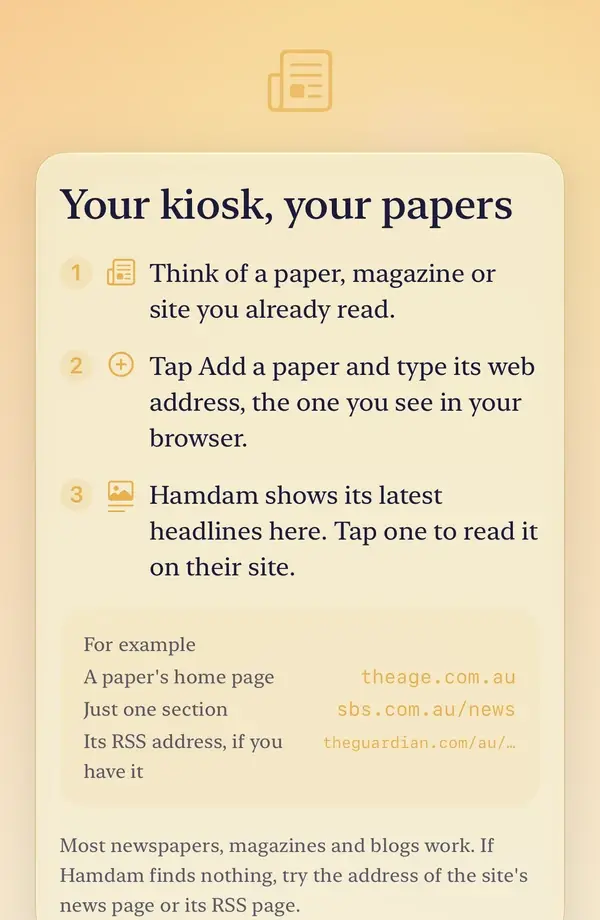
Type the paper's ordinary web address, the one you see in your browser. A home page, one section of a site, or its RSS address all work, and the sheet shows an example of each.
Hamdam looks for the feed and adds the paper only once it has read at least one headline from it, so a typing slip cannot become an empty paper.
Tap a headline to read the story on the paper's own site.
To remove a paper, open the menu, tap Your papers, and swipe it away.

Worth knowing
- If Hamdam finds nothing, try the address of the site's news page or its RSS page.
- Stories about violence, disaster and death are set aside, and the Kiosk tells you how many. They are all still in the paper itself.
- No article text is stored. The picture beside a headline is the one the publisher put in their own feed, fetched the way a browser would.
- Your device fetches each feed directly from the paper's own site, as it would if you opened that site yourself.