
The Privacy and your data page, and export
The Privacy and your data page maps where Hamdam keeps things, lets you review who in your family can see what and revoke access, and shows every control and permission with a link to the system setting.
You can export your data as a zip: JSON, Markdown and your original audio, with a README in English and Farsi.
Step by step
Open Your Hamdam, then Privacy and your data.
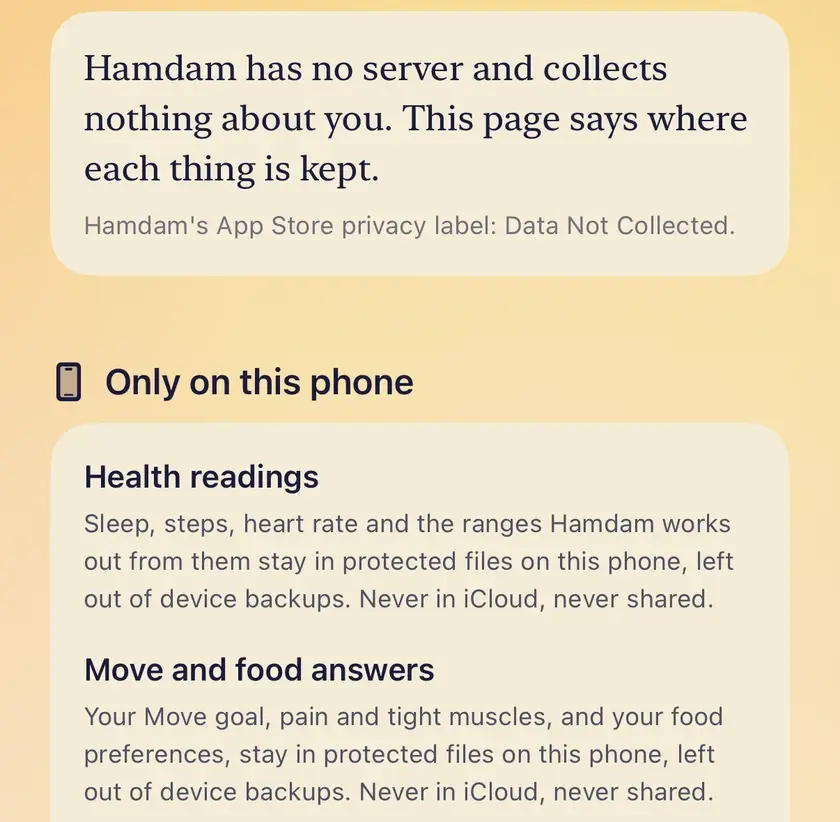
Review who in your family can see what, and revoke any access.
Tap Export to get a zip of your data.
To delete, use Delete my reflections, letters, habits and favourites, or Delete my Roots, which asks first by your role.

Worth knowing
- An owner deletes the family zone for everyone. A participant leaves and deletes only their own copy. A solo reader deletes their own copy.
- Your Move coach answers and food preferences are kept out of device backups.