
Deleting your data
Your reflections, favourites and streak history are yours to destroy, from inside the app, without asking anybody.
Your family is kept differently, in iCloud, and in a shared family it belongs to everyone in it. So removing it is a separate step, taken in the Settings app.
There is no Hamdam server in the way. That is the good part and the unforgiving part: once it is gone, nobody can bring it back for you.
Step by step
Open Your Hamdam.
Your Hamdamهمدم تو
Tap Content.
Contentمحتوا
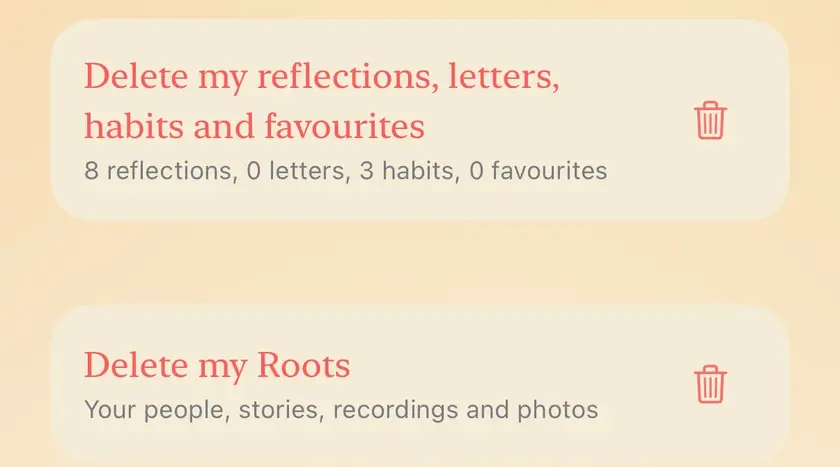
Delete my reflections, letters, habits and favourites is at the bottom, with a count of how many of each Hamdam holds.
Delete my reflections and favouritesحذف تأملات و برگزیدههایم
Hamdam says what it is about to delete and asks you to confirm. Your reflections, letters, habits, favourites and streak history go from this device and from iCloud.
Delete your reflections and favourites?تأملات و برگزیدههایت حذف شوند؟
To remove your family tree, recordings, stories and messages, open the Settings app, then your name, then iCloud, then Manage Account Storage, then Hamdam, and delete its data there.

Worth knowing
- This cannot be undone, and there is no copy anywhere for anyone to restore from.
- If you started a family, deleting Hamdam's data from iCloud removes it for everyone you shared it with. To stop sharing without deleting anything, use Stop Sharing on the family's sharing screen in Roots.
- If you joined someone else's family, what you added is held in their iCloud. The person who shared it with you can remove you, which also removes that family from your devices.
- In 2.1 the delete covers your letters to your future self and your Garden habits as well. It does not remove your settings, such as your name and where you were born, which stay on this device and in your iCloud. Your purchase and your free reflection count are kept too. The new Delete my Roots, on the Privacy and your data page, deals with your family separately: an owner deletes the family for everyone, a participant leaves and deletes only their own copy.
- Deleting the app from your device removes what is on it, but not what is held in iCloud. Your settings are kept in iCloud, so they come back if you install Hamdam again.
- What Hamdam wrote into Apple Health and into your calendar belongs to those apps. Removing it is done there, not here.
- Clearing what Hamdam has learned from you is a separate control, covered under What Hamdam learns.