
Your family, from their own iCloud
Anyone can accept an invitation, but the family keeps syncing between launches only while Sync with iCloud is on, and iCloud sync is part of Hamdam Plus, for the person who started the family and for whoever joins. Messages inside the family are Hamdam Plus too.
You can invite your sister and she joins the same family from her own Apple ID. Both of you see it, and both of you can add to it.
It uses Apple's own iCloud sharing, the same kind Photos and Notes use, and there is no database of Hamdam's anywhere in it. The invitation goes through Apple's sheet, so Hamdam never sees her email address or phone number.
Step by step
Open Roots.
Rootsریشهها
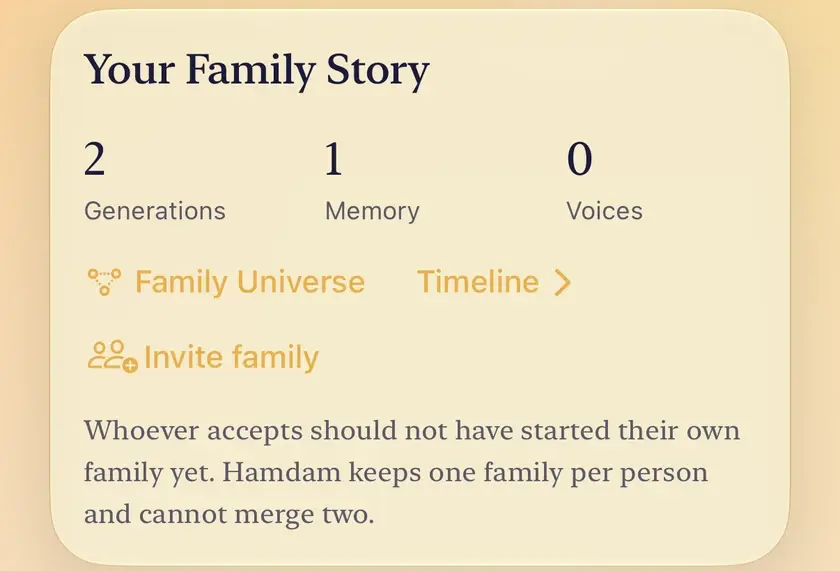
Add at least one other person. Invite family appears on the Your Family Story card once there is somebody besides you.
Tap Invite family. Apple's sharing sheet opens. Choose who to invite and how to send it.
They open the invitation on their own iPhone or iPad, signed in to their own Apple ID, in Hamdam.
Hamdam asks them one question: which person in the family they are. If they are not in it yet, they can say so and add themselves.
Afterwards the button reads Manage family. Use it to add or remove people, or to stop sharing.

Worth knowing
- Before you invite anyone: whoever accepts should not have started a family of their own in Hamdam. Hamdam keeps one family per person and cannot merge two. If they have, the invitation is refused and their own family is left untouched, so it is easier if whoever has written less is the one who joins.
- Only the person who started the family can invite. Somebody who joined does not see the invite button.
- What does not move: your reflections, your moods, your health readings, your letters, habits and favourites. They are kept in a separate store that the family cannot reach.
- Shared things are not copied into anyone's account. The family lives once, in the iCloud of the person who started it, including what others add, and the others are granted access. Removing someone, or stopping sharing, takes that access back, and the family stays with you.
- Sharing needs you signed in to iCloud. If it cannot work on your device, the card says why, and your family stays safe on your device.
- There is no public link to your family, and the invitation carries no photo.