
How Hamdam looks
All free, except the Vazirmatn reading face, which is Hamdam Plus.
The look of the app, and the one sound it makes when it opens, are yours to set, and they all sit on one screen.
Step by step
Open Your Hamdam.
Your Hamdamهمدم تو
Tap Content.
Contentمحتوا
Sky over Today chooses what is drawn behind Today: Automatic, My landmark or Weather. It appears when Hamdam has a landmark from home for you, and Weather is where it starts.
Sky over Todayآسمان بالای امروز
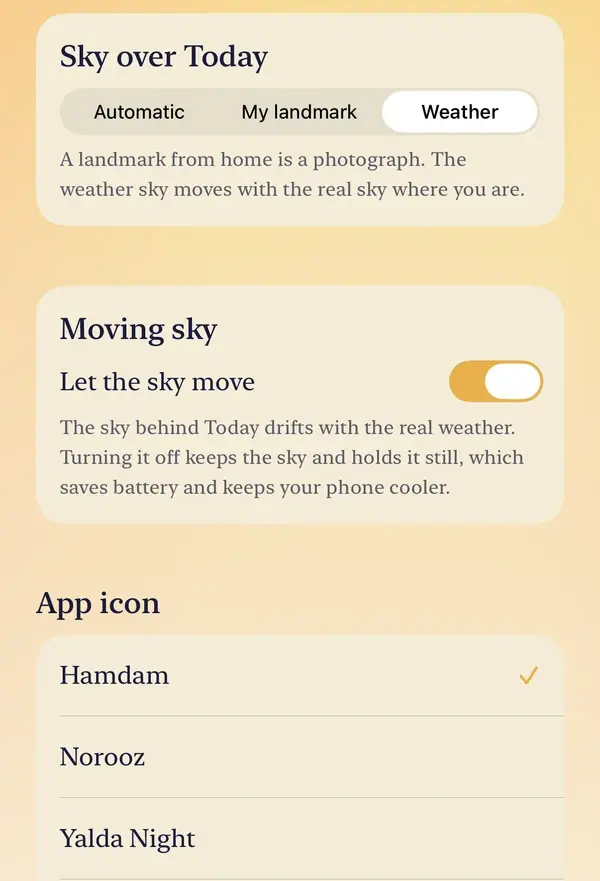
Moving sky is directly beneath it. Turning off Let the sky move keeps the sky and holds it still, which saves battery and keeps your device cooler. If your device is running warm, this is the setting you are looking for.
App icon changes the icon on your Home Screen, between the standard Hamdam icon and seasonal ones for Nowruz and Yalda.
App iconآیکون برنامه
Reading font sets the face Persian script is drawn in: Gulzar, or Vazirmatn with Hamdam Plus. It appears when the app is in Farsi.
Reading fontقلم خواندن
Opening sound is the short santur phrase when Hamdam opens. On an iPhone it follows your ring and silent switch. On any device, this is where to turn it off.
Opening soundنوای آغاز

Worth knowing
- The reading font is offered in Farsi only, and deliberately. It chooses the face Persian script is set in, and a reader using Hamdam in English is never shown Persian script, so in English the control would offer a choice with nothing to apply it to.
- If Hamdam Plus lapses, the reading face goes back to Gulzar.
- Everything here except the app icon comes back with your other settings after a reinstall.