
Weather and location
Weather is the quietest feature in Hamdam and one of the most load-bearing. It paints the sky on Today to match the sky outside, it tilts which verse you are given, and the Garden's coaches take it into account when they plan your day.
The tilt is deliberately warm. Rain brings verses about shelter, not verses about grief. Night brings the candle and the stars, not darkness as despair. Hamdam does not match your weather with your mood and make it worse.
Show weather starts on, but Hamdam still needs your location to know what the sky is doing, and it never asks for that until you tap the switch yourself.
Step by step
Open Your Hamdam.
Your Hamdamهمدم تو
Tap Weather.
Weatherآبوهوا
If Show weather reads off, turn it on. It only reads on once Hamdam can actually see your location.
Show weatherنمایش آبوهوا
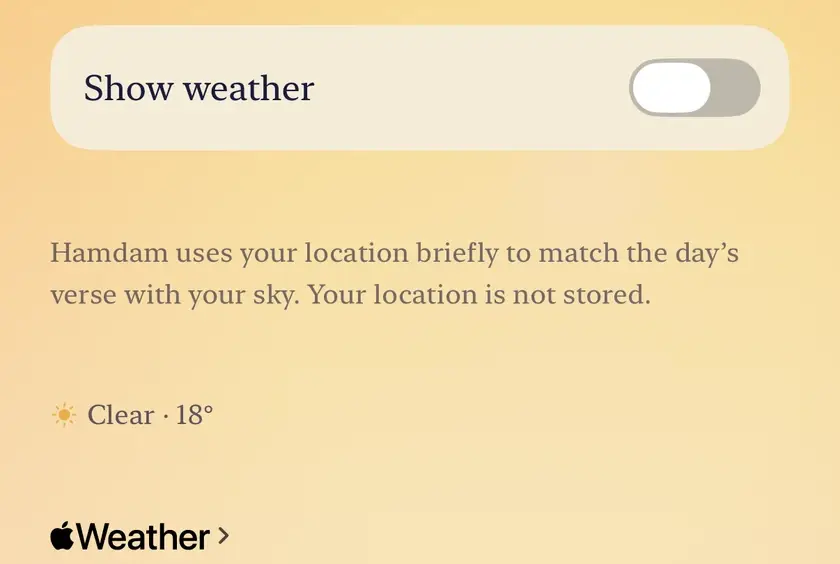
Allow location when iOS asks. Hamdam asks for While Using the App, never Always.

Worth knowing
- Your location is used briefly to match the day with your sky, and it is not stored.
- If you declined location earlier, iOS will not ask again, and the Weather screen shows a button that opens Hamdam's page in Settings. The button currently reads Open Health App; it is the right one. Or open the Settings app, then Privacy and Security, then Location Services, then Hamdam.
- Turning Show weather off takes the weather sky off Today straight away, leaving your landmark photograph if you have one, or the plain background.
- Weather comes from Apple Weather. The attribution on the Weather screen is Apple's requirement, not decoration, and it shows whatever the switch says.