
Your year with family
Your year with family is part of Hamdam Plus.
Your year with family counts what happened in Roots: people added, stories written down, answers recorded from your elders, messages with your family, reflections kept with each person, and moments marked with a reflection.
It shows counts only. No message, story or reflection appears on the page or on the card.
Step by step
Open Roots and tap Your year with family. Near the end of the year, and around your Hamdam anniversary, the family line on Today opens it too.
Choose which lines go on the card.
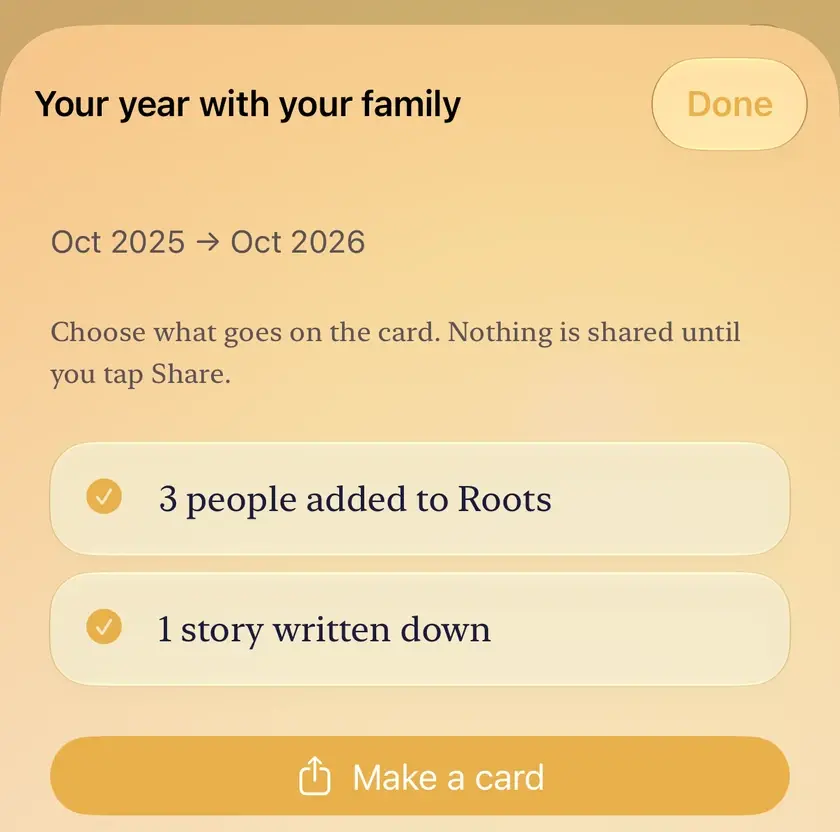
Tap Make a card, then share it. Nothing is shared until you tap Share.

Worth knowing
- Near the end of the year and around your anniversary it covers that year. At other times it covers the last twelve months.
- Messages are counted, never read.