
What Hamdam learns, and how to clear it
The switch is free, but today Hamdam only learns from the Share reflection button after a reflection, which needs Share reflections turned on. Sharing a verse card is not counted.
Hamdam can pay attention to which verses you choose to share, and let that shape which verses you are shown afterwards. It is off until you turn it on, and it is yours to turn off again.
This lives under Content rather than Notifications, because it changes which verses you meet rather than when you are told about them.
Step by step
Open Your Hamdam.
Your Hamdamهمدم تو
Tap Content.
Contentمحتوا
Learn what I share is the switch.
Learn what I shareآموختن از آنچه به اشتراک میگذارم
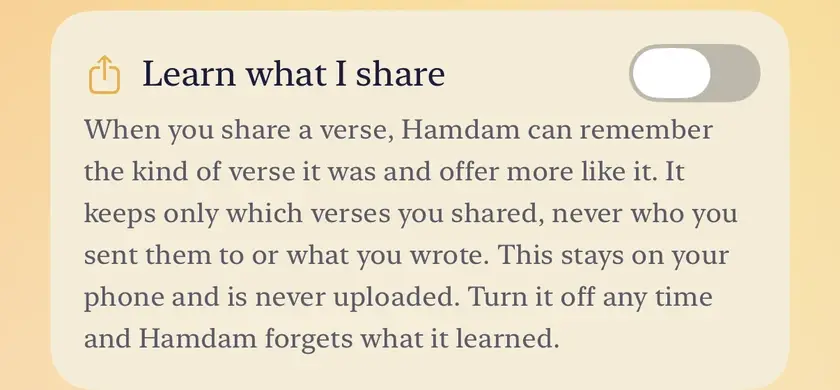
Once it has gathered something, Clear what Hamdam learned appears inside the same row. It empties what was gathered and leaves the switch on.
Clear what Hamdam learnedپاک کردن آنچه همدم آموخته

Worth knowing
- Turning the switch off erases what was gathered as well as stopping it. Clearing is for starting again without turning it off.
- What it keeps is small on purpose: the verse behind each of your last sixty shares, repeats included, and nothing else. No times, no recipients, no record of which app a verse went to, and none of your reflection text.
- It counts opening the share sheet, because iOS does not tell an app whether you went through with sharing.
- It stays on this device. It is not synced to iCloud and it is not sent anywhere.
- Notifications has a learning switch of its own, Learn my rhythm, for the times you actually open your daily note. The two are separate, and each has its own way to clear.